Blog Digital marketing and SEO
Multilingual website SEO guide: hreflang for tourism websites
The steps to present your tourism website correctly to Google in other languages: URL structure, hreflang, x-default, canonical, localisation and checks in Search Console. With examples from the Turkish and English structure of our own site.
For a business that hosts guests from abroad, multilingual website SEO does not end with translating pages. A family from Germany looking for a boat trip should see your German page, and a couple from London looking for the same trip should see your English page. The right URL structure, hreflang tags that link the language versions to each other and carefully set canonical tags make this happen.
In this guide we go through the steps to follow when you publish your tourism website in several languages, in order. If you would like to see the overall picture first, take a look at our tourism website guide. As the example, we use the Turkish and English structure of our own site.
Why translation is not enough
Google works out the language of a page from the content visible on it, not from the hreflang tag or the lang attribute in the HTML. So a page whose menu is in English and whose text is half German stays weak in both languages. Keep the content and navigation of every page in one language, and avoid putting two languages side by side on the same page.
The second limit of translation is search itself. Someone who types “Kemer tekne turu” in Turkish and someone who types “boat trip Kemer” in English use different words and ask different questions. For every language, research the search phrases, the topics guests want to know about and the competitors in that market separately. We explain planning pages around route and area searches, with examples, in our SEO guide for transfer companies.
The third limit is trust. Guests who cannot read the price in their own currency and the cancellation terms clearly in their own language may leave before they complete the booking. Google also states that it may treat localised versions as duplicates when the main content is left untranslated.
Multilingual site structure: subdirectory, subdomain or separate domain
Every language version should sit at its own address. Google recommends a separate URL for each language instead of a single address that changes language with a cookie or a browser setting. There are three common ways to have separate URLs:
- Subdirectory (example.com/de/): Easy to set up, managed as one site and low on maintenance.
- Subdomain (de.example.com): Relatively easy to set up, and you can put languages on different servers. Visitors, however, cannot always tell from the address whether “de” refers to the language or the country.
- Country domain (example.de): Shows the target country most clearly. On the other hand, every domain needs its own cost and infrastructure, and it targets only one country.
Google does not recommend parameters added to the end of the address, such as “?lang=de”. For most tourism businesses a subdirectory is the most balanced choice, because adding a new language does not mean building a new site. We chose this path for our own site too. We cover the multilingual sales flow on tour sales websites separately in our article on what a travel agency website should include.
What is hreflang, and what does x-default do?
Hreflang is the signal that tells Google about a page’s equivalents in other languages. It helps the version that best suits the searcher’s language and region appear in the results. You can find all the rules in Google Search Central’s documentation on localised versions. In practice, these four rules matter most:
- Include the page’s own address. Every language version should list both itself and all the other language versions.
- Make the links mutual. If the Turkish page points to the English page, the English page should point to the Turkish page too. Tags without a return link are ignored.
- Use the right code. The language code follows ISO 639-1 (tr, en, de). You can add a region code in ISO 3166-1 Alpha 2 format if you wish; en-GB targets English readers in the United Kingdom. A region code cannot be used on its own, and the code for the United Kingdom is GB, not UK.
- Write full addresses. Addresses must be complete, including https. Shortened paths such as “/de/page” do not count as valid.
On a boat trip page in three languages, all three versions carry the same list in the head section. Each line below corresponds to a link tag with the rel="alternate" attribute:
hreflang="tr" → https://www.example.com/tekne-turu
hreflang="en" → https://www.example.com/en/boat-trip
hreflang="de" → https://www.example.com/de/bootstour
hreflang="x-default" → https://www.example.com/en/boat-trip
Where the tags go
Google can read the same information in three ways and treats all three as equivalent:
- HTML link tags: Added to the head section of the page, and the clearest way for most sites.
- XML sitemap: Under each address, all language versions are listed, including the address itself.
- HTTP header: Used for files that are not HTML, such as PDFs, for example tour brochures in different languages.
Using all three methods together brings no extra benefit in search. Choosing one and keeping it complete is enough.
When to use x-default
The x-default value sets the page to show when no version matches the visitor’s browser language. Google says it designed this value especially for language selector pages. If you do not have a language selector page, give x-default to the fallback version, which on tourism websites is usually the English page.
Canonical traps in multilingual website SEO
The canonical tag says which of several very similar addresses is the main page. A common mistake on multilingual sites is pointing the canonical tag of every language version to the page in the main language. The German page then reads like a copy of the Turkish page and may not appear in search on its own.
Google wants the canonical page to be chosen in the same language. The rule is simple: the canonical tag of every language version points to its own address, while the hreflang tags link to the other languages. Watch out for these traps too:
- Do not put redirected, noindex or error addresses in the hreflang list. Keep only canonical addresses in the list.
- Do not use robots.txt to set the canonical. Google does not recommend this method.
Currency, dates and phone numbers
Once translation is done, localisation begins. Guests want to see the price in their own currency, the date in the format they are used to and the phone number in a form they can call. Google also counts a local address, phone number and currency among the signals that help it understand which country a site addresses.
- Currency: Offer euros, pounds or dollars. State clearly before the payment step which currency the charge will be made in.
- Date and time: 05/06 reads as 5 June in Europe and 6 May in the US. Writing the month name in the date picker and setting the time format by language prevents confusion.
- Phone and WhatsApp: Write numbers in international format starting with +90, and link them so that a tap starts a call.
- Text direction and script: For right-to-left languages such as Arabic, the page layout should be mirrored too. If you need to separate simplified and traditional Chinese, the codes zh-Hans and zh-Hant are used.
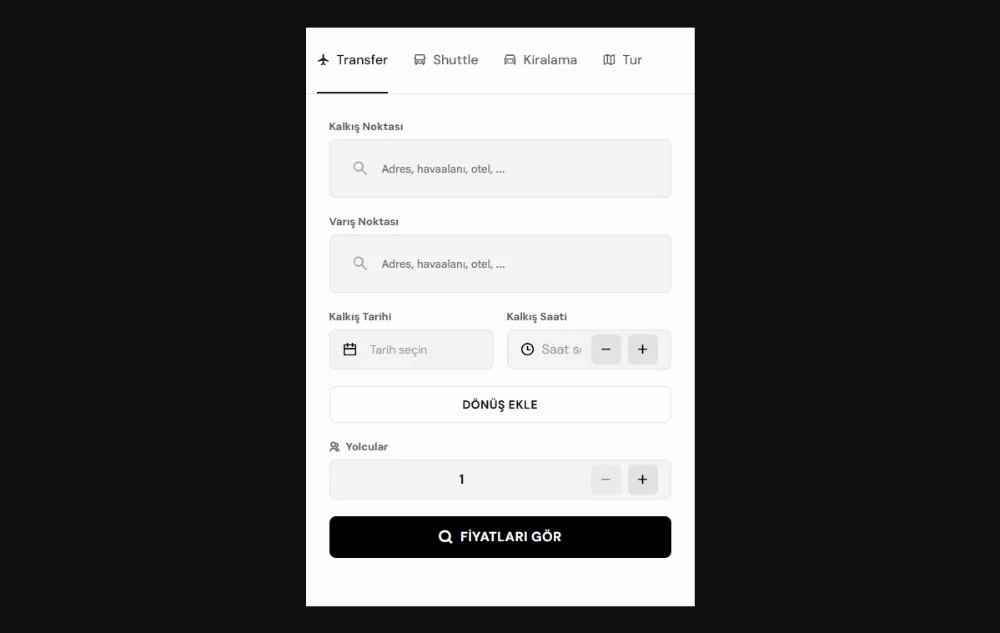
The image on the cover is the booking form of Turion, the SaaS product we built for transfer and tour businesses; the form works in Turkish and English. We also build multilingual booking websites that reach guests in their own language and currency, with every language marked up correctly for search engines.
Language selector and automatic redirects
Google does not recommend redirecting visitors to another language automatically based on their IP address or browser language. Googlebot usually crawls from the US and without stating a language preference, so on a site with automatic redirects it may never find some language versions. Guessing the language from the IP address is not reliable either: a British guest on holiday in Antalya does not want to land on the Turkish page on their phone.
Instead, use a visible language selector on every page:
- The selector should lead to the equivalent of the current page in the other language, not to the home page.
- Write language names in their own language: Deutsch, Français, Ελληνικά and so on. Do not use flags alone, because a flag shows a country, not a language.
- If the browser language is different, show a suggestion such as “This page is also available in German” and leave the choice to the visitor.
- The selector should work with normal links. That way Google also reaches the other language versions through these links.
Our own site: Turkish and English in one structure
We apply the rules in this guide on our own site too. The Turkish version is live at addresses without a prefix and the English version in the /en/ subdirectory, and the addresses themselves are translated: the about us page sits at /hakkimizda in Turkish and at /en/about-us in English. This way every language version has both its own address and a path that reads naturally in that language.
The head section of every translated page lists both language versions of the page, each pointing to the other. The x-default value points to the Turkish page, because the site’s main language is Turkish, while the canonical tag of each version points to its own address. The language selector, too, leads to the equivalent of the current page in the other language, not to the home page.
The decision that holds this structure together is keeping the languages in a single list. The addresses, the language selector, the hreflang tags, the sitemap and the language tabs in the admin panel all read from the same list, so none of them is updated separately by hand. A new language stays hidden on the site until its content is filled in on the panel and it goes live. A page with no text in a language is shown in that language with its Turkish text, marked noindex and left out of the hreflang list; this keeps the rule above, “keep only canonical addresses in the list”, in place automatically.
The blog is a deliberate exception to this rule: a blog post that has not been written in English has no English page, its English address (/en/blog/…) returns a 404 error and its hreflang list holds only tr and x-default; on such a post, the language selector opens the English blog page. This post has an English version, so its Turkish and English versions point to each other with hreflang.
On tourism websites this approach matters even more. As the number of tour, boat or route pages grows, every new page needs to be linked completely to all its language versions, and lists kept by hand easily fall short at this point. The same principles apply to businesses that sell tours: in our solutions for travel agencies and tour operators, we build the tour sales website in the guest’s language and currency.
Checking multilingual SEO with Search Console
Once setup is done, measurement begins. Run these checks regularly in Google Search Console:
- Add a domain property. A domain property brings subdomains and protocols together in one property. This matters if you have split languages across subdomains.
- Submit the sitemap. If you keep hreflang information in the sitemap, check in the Sitemaps report that it is read without errors.
- Use URL inspection. Inspect a few pages from each language. The canonical you set and the canonical Google selected should be the same.
- Look at the page indexing report. If a language version is among the pages where Google chose a different canonical from yours, look for a translation or tag problem there.
- Split performance by language. In the performance report you can see a subdirectory such as /de/ with the page filter, and the countries clicks come from with the countries tab.
Also check the mutual links and codes of your hreflang sets with an SEO tool that crawls the site. If you plan to work with an agency, we have gathered the other topics to ask about in our article on questions to ask when choosing a web agency in Antalya.
Frequently asked questions
Is an automatic translation plugin enough?
Not on its own. Some plugins translate text in the browser on the fly and do not create a separate address for each language, so Google finds no language version it can index. You can use machine translation as a draft, but before publishing, someone who knows the language well should read the text and check the search phrases.
Should I choose a subdirectory or a subdomain?
For most tourism businesses a subdirectory is more practical, because the site is managed from one panel and maintenance stays low. If you need to publish languages from different servers or have separate teams manage them, a subdomain can make sense. Whichever you choose, the hreflang and canonical rules are the same.
What does an hreflang error do?
Tags without a return link are ignored, and invalid language or region codes do not work either. This is not a penalty, but Google decides for itself which version to show, and a German guest may land on the English page. If the canonical tag points to another language, the problem grows and that language version may not appear in search at all.
How many languages should you start with?
Start with the languages your guests really speak. For most businesses, that means the language of the market that sends the most guests, on top of Turkish and English. Opening only as many languages as you can translate fully and keep up to date is sounder than many half-finished languages. We cover choosing target countries in health tourism separately in our guide to attracting patients from abroad.
When a multilingual site is set up correctly, it speaks to guests in their own language in every market. If you want to add a new language to your current site or build a multilingual booking website from scratch, let’s talk about your project with our team in Antalya.