Website and online booking guide for tourism businesses
We explain step by step what a website should look like for transfer companies, tour operators and health tourism businesses, from the booking flow to multiple languages and from the admin panel to choosing an agency.
What a tourism website should look like depends on who it sells to and what it sells. A guest looking for a transfer from the airport to their hotel, a family choosing a day tour and a patient researching treatment abroad do not look at the same page. What all three expect is to decide quickly, in their own language and on their phone.
In this guide we go through what a tourism business website needs for transfer, tour and health tourism businesses, one topic at a time. We cover the booking flow, languages and currencies, the admin panel behind the site and choosing an agency with checklists, and under each heading we point you to our more detailed guides.
Why a tourism website differs from a corporate website
A corporate website usually introduces the company and leads the visitor to a contact form. On a tourism website, the visitor comes to make a decision about a date, a route or a treatment. The site is a shop window, a point of sale and the place where operations begin, all at once.
You can see this difference in a few concrete points:
- The guest is in another country: they do not know you and would rather move through the site on their own than pick up the phone.
- The decision depends on a date: the flight time, the tour day or the treatment date becomes the site’s first question.
- Prices are checked in a familiar currency: a choice of euros, pounds or Turkish lira makes comparison easier.
- Trust is built on the first screen: guests look for documents, real photos, clear terms and a contact channel they can reach.
- Every request creates work: it means a booking, a driver assignment, a guide schedule or a clinic appointment.
Phone, speed and a simple flow
Tourism guests often visit the site on their phone: on the road, at the hotel or at the airport. A page that loads quickly, a form that is easy to fill in with a finger and a guest who can see where they are at every step all directly affect whether the booking is completed.
Building trust on the first screen
A guest who has never met you wants to be sure there is a real business behind the site before they pay. On a tourism website that inspires trust, these are easy to find:
- The company’s registered name, address, phone number and an easy-to-reach contact channel.
- Information on the documents and licences your sector requires.
- Agreement pages that explain the booking, cancellation and refund terms.
- Real photos of the vehicles, the tours or the clinic.
- A page that answers the questions guests ask most often.
Put this information and these pages somewhere easy to find in the menu, and keep them within reach from the booking flow too. When guests reach the payment step, they may want to read the cancellation terms or the agreement once more.
Plan for Google from the start
Guests usually find you through a search: a transfer between an airport and a resort, a tour name or a treatment. Giving every service, route or tour its own page, making pages load fast, and setting up structured data and the sitemap correctly from the start are the foundations of appearing in these searches. Rankings then build up with content, competition and time, so think of SEO not as a job added after launch but as part of the site plan.
For all these reasons, design on a tourism website is about more than looks. The order of the pages, the fields in the form, the confirmation messages and how a request reaches your team are all part of the design. In the sections below we look at these decisions sector by sector.
Websites for transfer companies
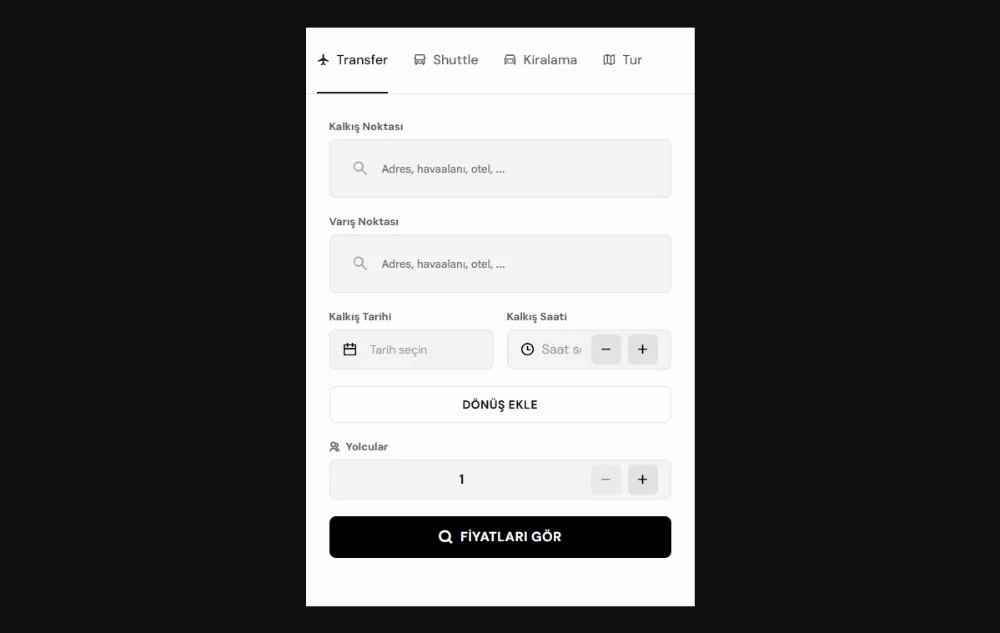
Transfer guests usually decide within a few minutes, before they board their flight. A guest heading from Antalya Airport to Belek, Side or Kemer wants to enter their arrival time and the number of passengers, choose a vehicle and see the price straight away.
The booking flow the guest sees
On a good transfer website, search, vehicle choice and booking are completed in one flow, without a phone call. You can use this checklist for your own site:
- A choice of return or one way, with planning based on the flight’s landing time.
- From and to fields that suggest places as the guest types an airport, hotel or area name.
- The vehicles suited to the route, listed with their prices.
- Prices shown in the currency the guest chooses.
- A tracking screen where guests can see their transfer with their booking number.
- A link that lets them follow the vehicle on a map on the day of the transfer.
What information the form should ask for
The shorter the form, the easier it is for the guest to complete, but the information your operations team needs must not go missing either. For most transfer businesses, these fields are a good start:
- Flight number, landing or departure date and time.
- Hotel or address, number of passengers and luggage details.
- Extra requests such as a child seat.
- Full name, email address and a phone number to reach the guest.
The flight number is needed to update the pickup time when a flight is delayed or lands early. The phone number lets you send the guest the driver’s name, the number plate and the meeting point by message.
Our experience on the transfer side
Our SaaS product Turion, which we built for transfer and tour businesses, has been in use by our first customers since 2023, and we are developing its latest version together with them. When you plan your own site, remember that the flow is won on the first screen: transfer guests already arrive with a route, a flight time and a number of passengers, so we recommend that the home page opens with the search form rather than an introductory text.
Our experience with vehicle tracking on a map and operations panels also reaches beyond tourism. For Hunkar Food, a Strasbourg-based halal frozen food brand, we developed a system that runs from the ordering infrastructure to fleet and delivery tracking. The logistics team splits orders into the day’s delivery rounds, follows the vehicle on a map once a round starts and sees the delivery confirmation on the same screen. The logic is the same for transfers: the day’s list, the pickup order from hotels and the driver marking the guest as dropped off should all come together on one screen.
You can read about the features a transfer website needs, one by one, in our article on what a transfer company website should have.
Appearing in airport and route searches takes separate work; we cover route pages and the Google Business Profile in our SEO guide for transfer companies. For the flight tracking, driver app and fleet screen behind the booking, take a look at our solutions for transfers and transport.
Sales websites for tour companies and travel agencies
A website that sells tours has a different job from a brochure: guests read the itinerary, choose a date, enter the number of people and pay. For a business selling boat trips in Kemer, ancient city tours in Side or day tours in Alanya, the site needs to describe every tour separately and in full.
What a tour page needs
- The daily itinerary, the duration, and what is and is not included.
- The meeting point or the hotel pickup time.
- A price that changes by season and package.
- A date picker that shows the remaining availability.
- Cancellation, change and payment terms.
- Real photos and what guests need to bring.
Season and package prices
Tour prices often change with the season, the number of people, child discounts and the hotel pickup area. When your team can manage these rules from the admin panel, you do not depend on a developer at the start of every season. The more clearly a price rule is defined, the smaller the gap between the price the guest sees and the price they pay.
Availability, payment and reminders
Not selling the same date twice is the most critical job of a tour website. Sales that close on their own when a tour is full, a choice of full payment or a deposit, and email, SMS or WhatsApp reminders before the tour keep guests and your team working from the same information.
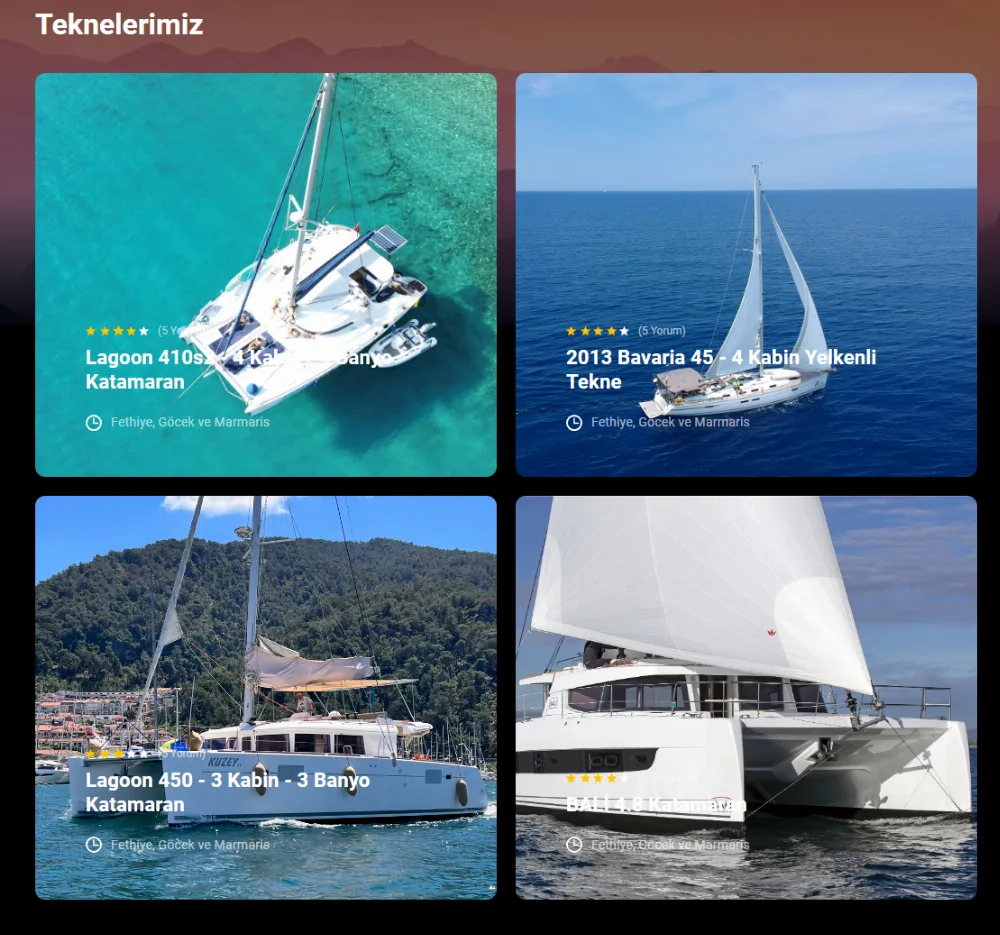
We built this structure on the yacht charter side for Aloha Sailing, a Fethiye-based boutique yacht charter brand. Each boat’s page has a daily availability calendar, while the team sees the weekly occupancy of every boat in the fleet on a single calendar; the calendar stops the same boat from being sold twice for the same week. Low, mid and high season prices and extra service fees are managed from one table. Thirty per cent of the amount calculated at the season price is taken by card during booking, and the guest accepts the yacht charter agreement in the same flow.
Guides, vehicles and sub-agencies
Once a tour is sold, operations begin: assigning a guide and a vehicle, the pickup order from hotels and the pickup time sent to each guest. When the day’s tour list builds up on one screen as bookings arrive, the planning you do by hand every evening gets much lighter.
If you work with sub-agencies, also consider a panel where your partners enter their own bookings and see their commission. You can find every topic of a tour and agency website in our travel agency website guide, and operations planning in our solutions for travel agencies and tour operators.
Clinic websites for health tourism
A patient from abroad weighs every detail when deciding to travel to another country for treatment. So the website of a clinic offering dental treatment, hair transplants, aesthetic treatments or eye treatment should first build trust, then make it easy for the patient to ask questions.
A checklist for clinic websites
- Treatment menu: the treatment areas gathered in one menu with clear headings.
- Trust signals: accreditation certificates, doctor profiles and real images from the clinic.
- An easy first step: a free online consultation form and WhatsApp contact within reach on every page.
- The patient’s language: the form, the replies and the information texts in the language of the target country.
- One panel: requests from the form, WhatsApp and Instagram collected in the same place.
Keep the consultation form and WhatsApp within reach on every page, because you cannot know in advance on which page a patient will decide to ask a question. For health tourism businesses, we set up and manage multilingual ad campaigns aimed at patients in target countries, and connect incoming requests directly to the patient tracking panel. In your own campaigns, sending every ad to the relevant treatment page in that language is a good start, because an ad is only worth as much as the page the patient lands on and the reply they receive after clicking.
A separate page for every treatment
Patients look for a page that describes their own treatment, not a general introduction. On every treatment page, give clear answers to these questions:
- What is the treatment and who is it suitable for?
- How does the process work: initial assessment, treatment plan, treatment days and follow-up.
- What does the package include: services such as accommodation, airport transfers and interpreter support.
- Which photos and documents should the patient send for the initial assessment?
An initial assessment form in the patient’s language that accepts photo or document uploads speeds up the first reply and cuts down on unnecessary back and forth.
A fast and accurate reply to every request
Patients often write to several providers at once, and the one that gives the first clear answer moves a step ahead. To see who answered a request, in which language and how quickly, you need the form to land directly in a panel. Planning the treatment date, accommodation and airport transfer in the same patient record also makes things easier for the patient and for your team.
Information sent through a patient form may include health data. Under KVKK (the Turkish Personal Data Protection Law), health data is a special category of personal data; the form, the panel and the access rights should be set up with this in mind, and we recommend that you consult an expert on the legal details. We cover the structure of the site in our health tourism website guide, choosing target countries and channels in our article on attracting patients from abroad, and request collection and patient tracking in our health tourism solutions.
Languages and currencies
If foreign guests cannot find your site in their own language, they often move on to another one. A multilingual site is not just translated text: each language needs to be published at its own address, and the currency, date format and phone number need to be shown in a way that suits the guest.
Set the number of languages by your guests
The number of languages you need varies a lot from business to business. We publish our own site in Turkish and English: the Turkish version sits at addresses without a prefix, the English version in the /en/ subdirectory, and the two versions are linked to each other with hreflang tags. A new language stays hidden on the site until its content is complete and it goes live. Whichever language you add, have texts such as tour itineraries, cancellation terms and treatment descriptions read by a native speaker of that language.
Currency and local formats
Guests want to see prices in a currency they know. When the currency selector sits next to the search form, guests compare vehicles or tours in the currency they chose. When the exchange rate is updated from one place in the panel, prices are recalculated in the selected currency, so you do not have to edit the price table every time the rate changes. Date, time and phone formats should also match the guest’s habits.
A technical checklist for a multilingual site
- A separate address for each language, for example subdirectories such as /en/ or /de/.
- hreflang markup in which the languages point to each other, and x-default for the default version.
- A language selector on every page that guests use themselves, instead of automatic redirects.
- All prices recalculated when the currency changes.
- Forms, confirmation emails and text messages sent in the guest’s language too.
We explain URL structure, hreflang and canonical settings with examples in our multilingual website SEO guide.
Behind the site: the admin panel
The site your guests see is half the job. How your team confirms a booking once it arrives, assigns it to a vehicle, a guide or a doctor, and tracks the payment decides whether the site really reduces your workload.
An example from outside tourism of a structure that brings every step from request to delivery into one panel is the panel we built for Kefmann, which handles global supply and distribution in the chemicals sector. A quote request on the website lands on the CRM board and in the customer record; the team sends the proforma by email and turns the approved quote into an order with its documents, and the customer is kept informed by email and WhatsApp at every step. Shipments are followed in one list with their container, vessel, port and customs status, and the team shares the tracking link with the customer in a single step. In tourism, the quote becomes a booking and the shipment a transfer or a tour; the principle is the same: every step from request to delivery moves forward in one record.
Ask these questions about your own panel:
- Do bookings from the website, by phone and from partners all land in the same list?
- Can your team change prices, seasons and exchange rates without needing a developer?
- Can you set separate permissions for drivers, guides, accounting and managers?
- Do confirmation, reminder and information messages go out to guests automatically?
- Can you get revenue, channel and region reports from one screen at the end of the season?
When the panel is not well designed, the site collects bookings but your team still works with spreadsheets and messaging apps. That is why we recommend planning the panel at the same time as the site’s design.
Messages and connections
A panel becomes more valuable the more it can talk to your guests and your other systems. Discuss these connections from the start of planning:
- Guest messages: email, SMS or WhatsApp for confirmations, reminders and driver or guide details.
- Payment: a direct connection to a virtual POS or a payment provider, with the payment status visible in the panel.
- Accounting and e-invoicing: a flow from payment to invoice with no manual transfer.
- Partners: bookings from agencies or hotels that land in the panel without being entered by hand.
Off-the-shelf system or a tourism website built for you
An off-the-shelf booking system gets you started quickly and is often enough for a small business. When your workflow goes beyond the standard, though, your team starts covering the system’s gaps by hand. Driver assignment, tour availability, or managing a patient’s treatment, accommodation and transfer plan in one record are typical examples.
When you decide, put these criteria side by side:
- Fit with your workflow: how many steps of the system match the way you work, and for how many you keep extra spreadsheets.
- Total cost: setup, monthly fee, commission, add-on modules and customisation, calculated together.
- Data ownership: whether you can export your guest and booking data and move it to another system.
- Growth: whether a new language, a new currency or a partner panel can be added.
You do not have to make a strict choice between the two paths either. Some businesses use an off-the-shelf service for standard parts such as payments or channel management, and have the panels and screens specific to their workflow custom built. This hybrid model lets you spend your budget on the part that really makes a difference. We offer transfer and tour businesses both paths too: depending on your needs, you can start from our own product’s infrastructure or we can build a system for you.
You can find a detailed comparison of the two paths, and of the hybrid model that combines them, in our off-the-shelf vs custom software decision guide.
Choosing an agency for a tourism website
A good booking website often starts with the right agency. Rather than comparing quotes on price alone, check whether the agency has real work in your sector, who will do the work and what stays with whom after delivery.
Take these questions with you to the meeting:
- Do you have work in transfers, tours or health tourism that I can look at?
- In whose name will the domain be registered?
- Who will hold the source code and guest data after delivery?
- Which pages, languages and modules are written into the quote?
- How will maintenance, security updates and backups work after launch, and how is the fee set?
Some answers, on the other hand, are a sign to be careful. The main ones are a guarantee of first place on Google within a set time, a domain registered in the agency’s name, a quote that sums up the scope in a single line and references you cannot check. In that case, ask for the details in writing and compare the quotes again on the same scope.
We explain in detail why these questions matter and what a good answer looks like in our article 10 questions to ask when choosing a web agency in Antalya.
How we work from Antalya
Tuedion is the brand of Ege Bilgi Teknolojileri, founded in Aydın in 2010, and our office is in Antalya. At our Antalya office, one team handles strategy, design, software and digital marketing. Our projects include businesses in Fethiye, Göcek, Marmaris, Istanbul, Aydın, Cyprus and Strasbourg in France. We hold discovery calls by video or by phone, and we work with businesses outside Antalya and abroad through the same process.
In every project, our process moves through four steps, and at the end of each step you receive something concrete:
- Introduction and discovery: we listen to your business, your guests and where you struggle today, then prepare a quote with a clear scope and price.
- Design: we prepare the screens as a clickable prototype, so you know what you will see before any code is written.
- Development: every two weeks we share a working version with you in a test environment.
- Launch: we put the site live, connect it to Google Search Console and analytics tools, and show your team how to use the panel.
On delivery, we hand over access to the source code, the domain, the server and third-party accounts. After launch, we take care of security updates, backups and small improvements through a monthly maintenance plan; the same team and the same number for maintenance, updates and new needs. Our first reply comes within one business day.
You can see the full scope, including booking websites, multilingual sites and technical SEO foundations, on our websites and e-commerce service page.
Frequently asked questions
What is the difference between a tourism website and a corporate website?
A corporate website introduces the company and collects contact requests. A tourism website takes the guest who is choosing a date, a route or a treatment all the way to a booking or a consultation request, and shows the price, availability and confirmation. That is why there is a panel behind it that manages bookings and payments.
Can online booking be added to an existing website?
In most cases yes, but first check whether the current site can carry the job. If the site is fast, its technology is up to date and its language structure suits new pages, a booking module can be added to the existing site. If there are serious gaps in these three points, a new site with the booking flow planned from the start may be the sounder path.
Which languages should you start with?
For most transfer, tour and clinic websites, Turkish and English are a good start; choose the next language based on the country most of your bookings and requests come from. In every language you add, you also need to keep up confirmation messages and replies to guests.
Is the job done once the site goes live?
No. After launch, security updates, backups, domain and SSL renewals, and price and content updates before each season carry on. Visibility in search results also builds up over time with regular content and measurement. Whichever agency you work with, agree on the scope and fee of post-launch maintenance in writing before work starts.
If you are planning a website or a booking system for your transfer, tour or health tourism business, we can start by mapping out your workflow together. Let’s talk about your project; we will listen to what you need and explain clearly the path that suits you.